comprar-app-stellatv
futbol - stellatv

Install StellaTV on smart tv

Here you can download and install Stella TV on a Smart TV with Android TV, including brands like Xiaomi, Sony Bravia, Hisense, JVC, and other Android-compatible models. This allows you to enjoy all live channels, movies, series, anime, and adult content (18+) directly on your TV, with an experience optimized for large screens and remote control.

It's important to note that the app isn't compatible with Smart TVs that don't use Android, such as LG or Samsung models. In those cases, it's recommended to use a TV Box or Fire TV Stick, which can turn any TV into a compatible Android device. With these solutions, you can access all of Stella TV's content with stable streaming, smooth navigation, and full functionality, guaranteeing the best entertainment experience in your living room.

Download OPTION #2

New Downloader code to download the StellaTV APK: 5360989

INSTALLATION

How to install StellaTV on a Smart TV

Method1: This process is compatible with all smart TV models with Android TV.

You have to go to the store «Play Store» and search for the app DownloaderYou must download and install it on your smart TV. This download manager will allow us to download Stella TV to our TV.

We need to open the app downloaderOn its main page we will write the link: https://bit.ly/stellatv040326 Then we press the "GO" button, wait for it to download, and click on «Instalar» and that's it.

NOTE: Please note that you must have "unknown sources" permissions enabled to install the APK.

stellatv-tv-precios

StellaTV for smart TV

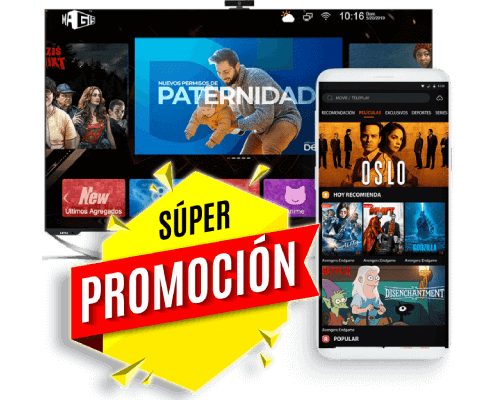
Forget traditional cable! Now you can enjoy all your favorite entertainment at much more affordable prices. With Stella TV, for just $8 USD a month, you'll have access to movies, series, live TV channels, sports, anime, and adult content (18+), all in one place and hassle-free.

This service offers stable streaming, high-quality images, and compatibility with multiple devices such as phones, tablets, Smart TVs, Fire TV Sticks, TV boxes, and computers via Android emulators. You won't find a service with this much variety and functionality at this price.

Don't wait any longer! Buy Stella TV now and transform the way you watch television, with the freedom to subscribe and cancel whenever you want, taking advantage of all the benefits of the official app. Subscribe now and start enjoying the best entertainment!

BUY StellaTV
DOWNLOAD StellaTV APK
promocion - stellatv

FAQ

Frequently asked questions

Aquí tiene todas las respuestas a las dudas sobre cómo funciona y la compatibilidad de Stella tv en un smart tv.

preguntas
How to download Stella TV on a smart TV?

You can only download and install the Stella TV app on your Smart TV if it runs on the Android operating system. This includes TVs from brands like Xiaomi, Sony Bravia, Hisense, JVC, and other Android TV-compatible models. The app is specifically designed for this system, ensuring optimal performance, smooth navigation, and stable playback of all channels, movies, series, and adult content (18+).

If your TV doesn't run Android, as is the case with many LG and Samsung models, you won't be able to download the app directly. In these cases, the recommended solution is to use a TV Box or Fire TV Stick, which transforms your Smart TV into an Android-compatible device, allowing you to access all of Stella TV's content securely and with high-quality images. With this alternative, you can enjoy the app on large screens and take advantage of all its features, including viewing on multiple devices simultaneously and receiving automatic content updates.

The Stella TV app is not compatible with Samsung TVs using Tizen or LG TVs using WebOS, so it cannot be installed directly on these devices. This means that even if you have a Smart TV with internet access, the app will not work natively on these models.

The only way to enjoy Stella TV on these televisions is through external devices such as a TV Box, Chromecast, or Fire TV Stick, where the app can be installed. By connecting one of these devices to your television, you can access over a thousand live channels, movies, series, anime, and adult content (18+) with high-quality picture, stable streaming, and all the app's features. This solution transforms any television into an Android-compatible device, guaranteeing the best entertainment experience without limitations.

The Smart TVs we recommend for using Stella TV are those with the Android operating system, as they guarantee full compatibility with the application and smooth performance. Recommended models include the latest Sony Bravia, Xiaomi TV, JVC, and Hisense televisions. These devices allow you to install the app directly, enjoy stable high-definition streaming, easily navigate the menus, and access all channels, movies, series, anime, and adult (+18) content without limitations.

While other brands and models of Android TV exist, not all have been officially tested, so we cannot guarantee optimal performance. In these cases, we recommend verifying that your TV has the latest version of Android TV and sufficient processing power to ensure the best entertainment experience, or consider using a TV Box or Fire TV Stick as a secure alternative to access Stella TV on any screen.

If you experience any service issues, we recommend the following: check your internet network, clear the app's cache from its settings, and ensure you have the latest version.

This service is not free. It is a paid service that guarantees unlimited access to over a thousand live channels, movies, series, anime, and adult content (18+) in high definition (HD). To enjoy all the content without restrictions, you need an official Stella TV subscription, which provides all the service's benefits, including constant updates, technical support, and stable streaming.

Purchasing a subscription not only guarantees full access to the catalog, but also ensures the service functions correctly on all compatible devices, such as mobile phones, tablets, Android Smart TVs, Fire TV Stick, TV Boxes, and PCs via emulators. With Stella TV, you'll get the best entertainment experience at an affordable price, without the interruptions and limitations often associated with free or unofficial services.

You cannot stream Stella TV content directly from your mobile device to a TV screen natively. The only way to do this is by using screen mirroring with a Google Chromecast. This allows the image and sound from your Android device to be played on your TV screen, maintaining content quality and full app functionality.

Using Chromecast, you can enjoy live channels, movies, TV shows, anime, and adult content (18+) from your phone or tablet directly on your TV, without needing to install an app on the TV. It's important to ensure that your phone and Chromecast are connected to the same Wi-Fi network, as this guarantees a stable and uninterrupted stream. This option is ideal for users who don't have an Android Smart TV or don't want to buy a Fire TV Stick or TV Box.