comprar-app-stellatv
tvbox - stellatv

Install Stella TV on TVBox

Here you can download the latest version of Stella TV for your TV Box. By following the step-by-step instructions and watching the video tutorial we provide, you can install the application quickly and easily, without any complications.

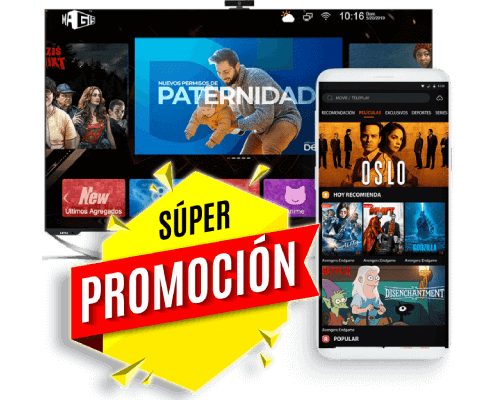
StellaTV is compatible with all Android TV-enabled TV boxes, including popular brands and the latest models, ensuring you can enjoy live channels, movies, series, anime, and adult (18+) content directly on your big screen. Installation on your TV box provides a seamless streaming experience, with easy navigation using the remote control and access to all app features, such as multiple simultaneous connections and high-definition content.

Furthermore, by installing Stella TV on your TV Box, you can easily update the app, receive notifications of new versions, and take advantage of all the promotions and benefits of the official service, guaranteeing complete and stable entertainment at any time from the comfort of your home.

Download OPTION #2

New Downloader code to download the StellaTV APK: 5360989

INSTALLATION

How to install StellaTV on Android TV Box

Method1: We will use an application called Downloader to download Stella TV very quickly and easily.

From our TV Box we need to go to the app store Play StoreWe'll look for the app Downloader to download and install it. It is compatible with all TV Boxes.

we will open Downloader And on its home screen we have to write the link: https://bit.ly/stellatv040326 and then click on GOWe wait for the download to finish and then click on install and that's it.

NOTE: Don't forget to enable "unknown sources" permissions on your device.

stellatv-tv-precios

StellaTV for TV Box

Don't waste your time looking for other services. HERE with Stella TV you'll have hundreds of new movies and series, over 90 sports channels, and over 1000 Latin channelsHire from anywhere, it works for everyone.

BUY StellaTV
promocion - stellatv

FAQ

Frequently asked questions

Aquí tiene todas las Es posible que tenga algunas dudas sobre el funcionamiento de Stella TV en una tv box, por ello abajo algunas respuestas a sus dudas más frecuentes.

preguntas
How to download StellaTV on a TV box?

The most traditional, fastest, and most functional way to download Stella TV is currently by using the Downloader app, which allows you to install the app directly and securely on your Android device, TV Box, or Fire TV Stick. This app is widely used because it simplifies the entire process, preventing download errors or incomplete installations.

However, there are other reliable alternatives for obtaining the app, such as Send Files, which facilitates file transfers between devices, or even through Chrome, using direct download links from the browser. Each method has its advantages, and the choice will depend on your device and preferences.

Whichever option you choose, they all allow you to install the latest version of Stella TV, ensuring full access to live channels, movies, series, anime and adult content (+18), with stable streaming and full features, so you can enjoy the best entertainment experience on any screen.

The most common problem when using Stella TV on a TV box is that channels don't load correctly or freeze during playback. This usually happens when the device is low-end or doesn't have enough processing power to handle the app and high-definition streaming.

Devices with limited processors, insufficient RAM, or inadequate storage may experience delays, lag, or unexpected app crashes. To avoid these issues, it is recommended to use a mid-range or high-end TV box with an updated version of Android TV, ample RAM, and good processing power. This ensures smooth playback of live channels, movies, series, and additional content such as anime and adult content.

Additionally, it's always helpful to keep the app updated, restart your device occasionally, and check your internet connection, as these factors also affect service stability and streaming quality. With the right equipment, Stella TV performs optimally and delivers a complete and uninterrupted entertainment experience.

By default, all TV Boxes run on the Android operating system, making them compatible with the Stella TV app. This means that, in most cases, you can download, install, and run the app without any problems, enjoying live channels, movies, series, anime, and adult (18+) content directly on your TV.

However, not all TV boxes offer the same performance. That's why we always recommend opting for high-end models with certified Android, as these devices guarantee faster processors, more RAM, and better stability, resulting in a smooth and uninterrupted streaming experience.

Purchasing a high-quality TV Box also ensures that the app can handle multiple simultaneous connections, update automatically, and play high-definition (HD or Full HD) content smoothly. This way, you can take full advantage of all of Stella TV's features, providing continuous and reliable entertainment for you and your entire family.

This permission is essential to install apps that do not come from the Google Play Store, such as Stella TV, since Android blocks the installation of apps from unknown sources by default for security reasons.

To activate it, go to SETTINGS > SECURITY > APPLICATIONS (the exact path may vary depending on your Android version or device brand). Once there, enable the option that allows installing apps from unknown sources for the app you'll use to download Stella TV, such as Downloader or Chrome.

It's important to remember that after installing the app, you can disable this permission again to maintain your device's security. Enabling this feature correctly ensures a smooth and error-free installation, allowing you to enjoy all of Stella TV's live channels, movies, series, anime, and adult (18+) content reliably and consistently.

Yes, it's possible to transfer or install Stella TV on your TV Box from your mobile device. We recommend using the Send Files app, which allows you to quickly and securely transfer the app from your Android phone to your TV Box, ensuring the file arrives correctly and preventing download or installation errors.

Another option is to use Google Chrome on your TV Box to download the app directly from our official website. This alternative is useful if you prefer not to transfer files from your mobile device and want to get the latest version of Stella TV directly.

Both methods are compatible with any Android TV box, ensuring you can enjoy live channels, movies, series, anime, and adult content (18+) with stable, high-definition streaming, taking advantage of all the app's features, such as multiple simultaneous connections and automatic updates. This flexibility allows you to choose the option that best suits your needs and the type of device you have.

Your TV Box must have at least Android 5.1 or higher to properly install and run the Stella TV app. Earlier versions of Android may have compatibility issues that prevent installation, cause errors when opening the app, or affect playback of channels and multimedia content.

In addition to the operating system version, it is recommended that the device has sufficient RAM and processing power, as this ensures smooth streaming in high definition (HD or Full HD) and prevents lag, freezing, or unexpected app closures.

If your TV Box meets these requirements, you can enjoy all the benefits of Stella TV, including live channels, movies, series, anime, and adult content (18+), as well as advanced features like multiple simultaneous connections, automatic updates, and remote control compatibility. Keeping your TV Box updated and running a compatible operating system ensures the best, uninterrupted entertainment experience.